
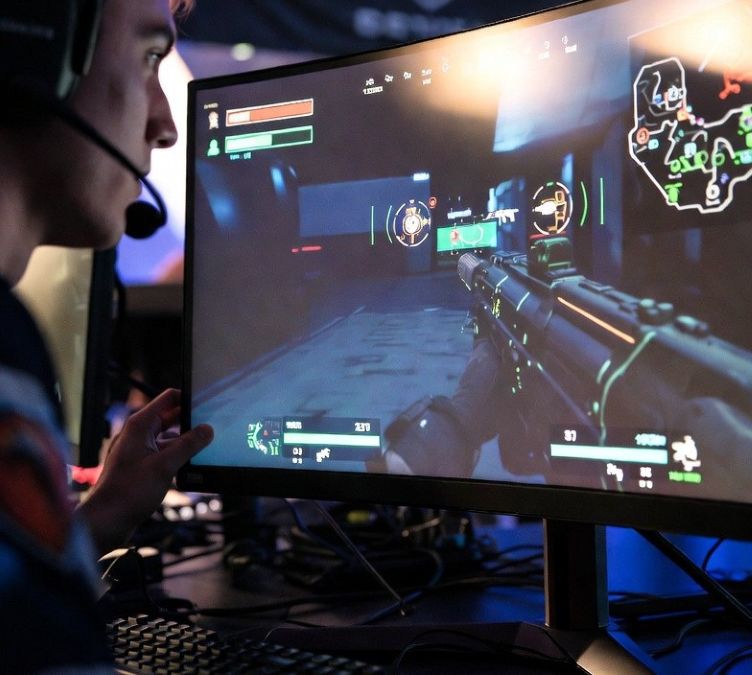
Professional esports players can react to visual information in under 200 milliseconds, according to research summarized by the National Library of Medicine. In tactical shooters, that tiny slice of time decides everything. A slightly clearer enemy outline, a sharper crosshair, or a less cluttered HUD can mean the difference between landing the first shot or staring at a defeat screen.
That’s why many competitive players spend hours studying cs2 professional configs. Guides that analyze these setups reveal patterns across the professional scene. Resolution scaling, stretched aspect ratios, and carefully placed HUD elements are not random tweaks. They are deliberate systems designed to help players see enemies faster and process information instantly.
Why Many Pros Use Stretched Resolutions
Watch a tournament match and you might notice something strange. The game sometimes looks a little wider than normal. That’s stretched resolution at work, one of the most debated visual tricks in competitive shooters.
Players switch to a 4:3 aspect ratio and stretch it across a 16:9 monitor. The result is simple but powerful. Enemy models appear slightly larger on screen. Bigger targets are easier to track during fast movement, especially in games where headshots matter.
Some pros swear by it. Oleksandr “s1mple” Kostyliev, widely regarded as one of the best Counter-Strike players in history, famously used stretched resolution during many of his peak years. His reasoning was straightforward. Enlarged character models make it easier to focus during high-pressure fights.
There is a trade-off. Peripheral vision shrinks slightly, which means less horizontal view. Yet many professionals accept that compromise. The logic is simple, clarity on the target matters more than scenery on the edges.
Think of it like adjusting binoculars during a birdwatching trip. The field of view tightens, but the subject becomes clearer. Competitive players apply the same thinking to digital combat.
The Visual Design Logic Behind HUD Customization
HUD design rarely gets the spotlight. Yet professionals treat it like a science project.
Health bars, ammo counters, radar placement, and crosshair style all affect how quickly players process information. A crowded interface forces the brain to search for details. A clean layout delivers those details instantly.
Competitive players usually shrink HUD elements or move them away from the center of the screen. The middle area stays clean for the most important job, spotting enemies.
Crosshairs are another story entirely. Some look like tiny plus signs. Others resemble minimalist dots. A few players even design crosshairs that expand slightly while moving, a visual reminder that accuracy drops when running.
It sounds small, yet small changes add up. Professional teams often experiment with these settings during practice scrims. One former coach joked in an interview that players sometimes spend more time discussing crosshair color than game strategy.
Honestly, that tracks. Anyone who has lost a duel because their crosshair blended into a bright wall knows the pain.
How Optimized Graphics Settings Improve Reaction Time
High-end graphics look amazing in single-player games. Competitive players treat them with suspicion. Lower graphics settings reduce visual noise. Shadows, reflections, and particle effects might look cinematic, yet they can hide enemy movement. Professionals strip those effects down to the essentials. In a strange way, the philosophy resembles many visual design productivity strategies, where removing clutter and organizing workflow helps creators focus on the most important visual details and finish projects more efficiently.
Lower graphics settings reduce visual noise. Shadows, reflections, and particle effects might look cinematic, yet they can hide enemy movement. Professionals strip those effects down to the essentials.
Frame rate plays a massive role too. According to guidance from hardware researchers cited by organizations like NVIDIA, higher frame rates reduce system latency and improve motion clarity. When a game runs at 300 frames per second instead of 120, animations appear smoother and easier to track.
That difference becomes obvious during chaotic firefights. A player with smoother motion can track a strafing opponent more easily. The brain receives cleaner visual updates, almost like watching a high-speed camera feed instead of a slideshow.
Even color settings matter. Many players increase digital vibrance or tweak brightness. This makes enemy uniforms pop against darker backgrounds. It feels like turning up the contrast on a television during a late-night movie.
None of these tweaks guarantee victory. Skill still rules the scoreboard. Still, optimized visuals remove obstacles between the player and the information they need.
Why These Configurations Matter
Professional setups exist for one reason, faster decision-making.
Every pixel on the screen carries information. A well-designed configuration ensures the important details appear instantly while distractions fade into the background.
That is why fans and aspiring competitors keep studying pro setups and guides about cs2 professional configs. These configurations reveal how elite players transform their screens into efficient information dashboards.
Competitive shooters reward awareness more than flashy graphics. The best players understand that clarity wins fights. A stretched resolution here, a simplified HUD there, and suddenly the battlefield feels easier to read.
Funny thing is, most players discover this lesson the same way. They copy a pro’s settings out of curiosity. The game looks weird at first. Wider models, smaller HUD, lower graphics.
Then the magic moment happens. An enemy peeks a corner, and somehow the reaction feels faster.
That tiny moment of clarity is exactly why professional configurations exist.